
Ten weeks of real computer science for ages 8 to 10. Algorithms, codes, networks, sorting and pathfinding, played as games on the floor. No computers in it.
Grades 3 to 5 · no experience needed · built on CSTA standards






Inside a class
Same shape every week, so the children always know where they are in it.
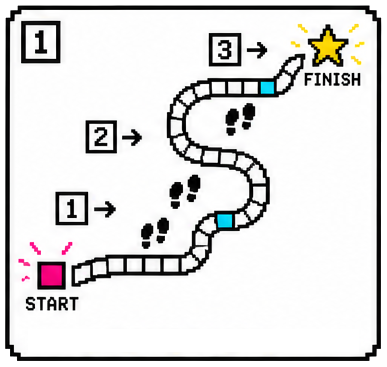
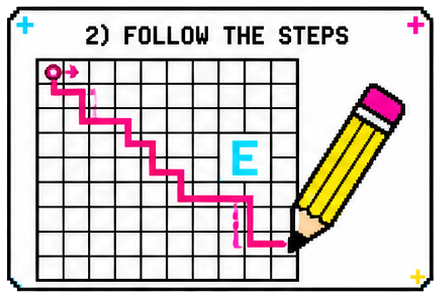
Cones on the floor, a start, a finish, and a partner who cannot see.
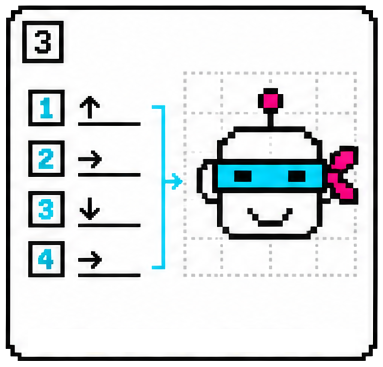
Five commands, and nothing else is allowed. That is their whole language.
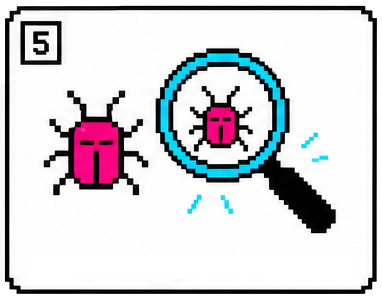
It goes wrong, they work out which step was wrong, and they change that one.
The ten weeks
Each week is one real computer science idea and one game that runs on it. Every week stands on its own. The last one needs all nine before it.

Week 01
One child steers a blindfolded partner through a cone course using only five commands, then finds the step that sent them wrong.

Week 02
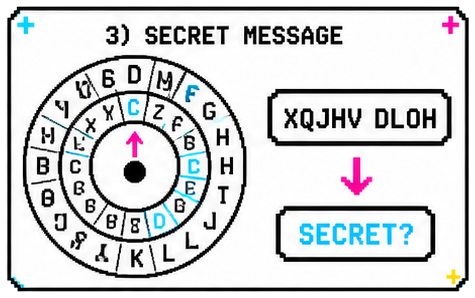
They build a Caesar cipher wheel from two discs and a fastener, set it to their team's key, and crack messages written with a different key.

Week 03
The whole class becomes one network held together with yarn, then routes a message through it and finds a new path when a link goes down.

Week 04
Twelve priced game cards, sorted by picking the cheapest one left, again and again, then searched to find every game inside a budget.

Week 05
Eight animal cards split by yes or no questions until one animal is left, then one child hides a card and the others question their way to it.

Week 06
A hidden picture appears square by square on a 20 by 20 grid, coloured from short instructions like "3 blue" instead of the word blue three times.

Week 07
They copy a maze onto graph paper, find three different routes through it, count the moves in each, and circle the cheapest one.

Week 08
Everyone rates ten things, the group builds one big taste map, and partners use it to predict something the other has never tried.

Week 09
They play a rigged dice game and work out why it is rigged, then write their own rules and swap games to hunt for each other's loopholes.

Week 10 · finish
Eight sealed puzzles, one from every week, each giving up a letter. The class pools its letters to spell the code word and open the treasure box.
Why no screens
In this class the children are the thing they are learning about. They are the robot being given instructions. They hold the ends of the network. They sort the cards on the floor themselves.
A child who has walked a route and counted the steps has a reason to care which route is shorter. It also means no logins, no chargers, and no child stuck because the wifi is slow.
The nine ideas
Every week they take a problem apart, test it, and fix the step that was wrong.
What it is for
Every week ends by naming where the idea shows up in ordinary life and where it shows up in technology. These are the ones the children are given.
Week 1 · Algorithms
Week 2 · Codes
Week 4 · Sorting
Week 7 · Pathfinding
The last week
Eight sealed puzzles, one from each week before it: a maze traced on a grid, a word decoded on a cipher wheel, a run of numbers sorted into order, a picture decompressed square by square. Every puzzle gives up one letter. The class pools its letters, spells the code word, and opens the treasure box holding everybody's certificate.
Class details
| Who it is for | Grades 3 to 5, ages 8 to 10 |
|---|---|
| Each class | 55 minutes, once a week |
| How many weeks | 10 |
| Class size | About 25 children |
| Supplies | Included |
| Starts | add your dates |
| Price | add your price |
Email me for the dates, the price and how to register.
Signing up
Grades 3 to 5, ten weeks, no experience needed. Email me for the dates, the price and how to register.
Email me
hello@thealgorithmgames.com Write to mecheck you want this address on the page, and set it up to forward to you
Questions
No. Week one starts with giving directions to a partner. A child who has never thought about computers is not behind.
Nine computer science ideas, one a week: algorithms, encryption, networks, sorting, decision trees, compression, pathfinding, recommendations and fairness. Week ten is an escape room built from all nine.
No. One page goes home each week with the idea they played and a small activity for the kitchen table. Nothing is collected.
Groups are small and they change every week. The closing questions are answered by the whole class together, not by individuals.
The children use no devices. I use one display at the front for a short video and some prompts. Everything they do is physical.
Each week stands on its own, so a missed week does not leave your child stranded. Week ten uses all of them, but it is a group escape room, not a test.
Yes. Sorting, encryption, networks, compression and pathfinding are the real ideas, taught with cards and yarn instead of code. Each week is built on a CSTA standard for this age.